Set up departments and locations
Departments and locations are the building blocks your organisation structure sits on. A department groups people together in that structure, and a location is a physical place people are based, such as a site, office, or vessel. This guide shows you how to add a new one, change the details of an existing one, and remove one you no longer need.
Synchronized departments are read-only in Markular and must be changed in your HR system. Location management remains available according to your Markular permissions. See Work with personnel managed by an external HR system.
Before you start
- Anyone with view access can see how the structure is arranged. Changing locations needs the Manage personnel permission; changing the department structure needs a People administrator. If you cannot edit something, that is by design. See the People permissions reference.
- Departments are a flat set of groupings, not nested under one another. The reporting hierarchy you see in the org chart comes from positions, not from departments.
Steps
- In People, open the settings area where departments and locations are managed.
- To add a department, choose to add one, give it a name, optionally assign it a country, and save. The new department is now available when you set up positions and record where a person sits.
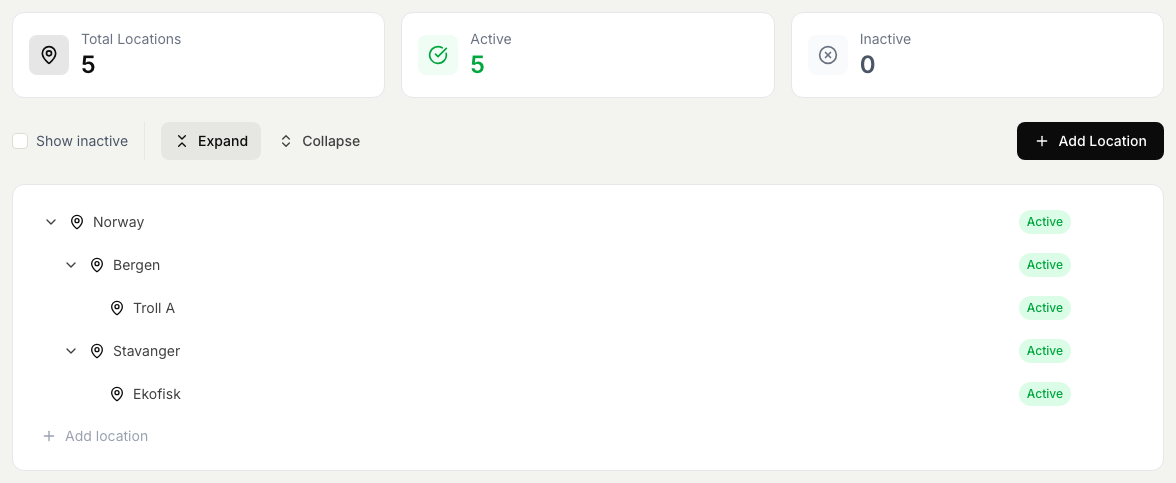
- To add a location, choose to add one and enter its name and details. Save. The location is now available to base people at.
- To edit a department or location, select it, change its details, and save. Your changes apply everywhere it is used, so the directory and reports stay consistent.
- To remove a department or location, select it and choose to remove it. If people or positions still refer to it, move them first, because removing something that is still in use would leave those records without a home.
Working across countries
A department can be given a country, which matters most for organisations that operate in more than one. Tagging each department with its country lets you filter and organise the structure by country, and it works alongside country-based access, so a person's reach can be limited to the countries they are responsible for. See Control who can access People.
Departments and locations shape how positions and people are organised, so keeping them tidy keeps the whole structure readable. To see how this fits with positions and the reporting line, read How positions and the org structure work. To see the result in a visual form, read Read the org chart.