Delete a person's documents
This shows you how to remove documents from a person's record, for example an outdated certificate or a file added by mistake. You can delete one document or several at once.
Deleting is permanent
Deleted documents cannot be restored. If you might need a file later, download it first. See Download instead of sharing.
Before you start
- You need the Manage personnel permission. See the People permissions reference.
- Files attached to a competency or an issued document, such as a scanned certificate, are deleted from that competency or issued document, not from the document list. See Personal files vs issued documents.
Delete one document
- Open the People module, then Directory, and open the person's record. See Edit a person's details.
- Go to the Documents section of the record.
- Select the three dots at the end of the document's row.
- Select Delete.
- Check the file name, type and size in the confirmation, then select Delete document.
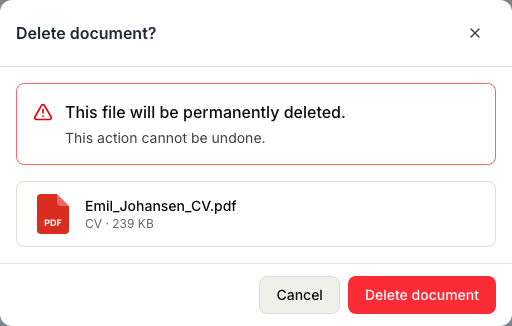
A message confirms that the document was deleted. If Delete is greyed out, the file is attached to a competency or an issued document. Point at it to see where the file belongs.
Delete several documents at once
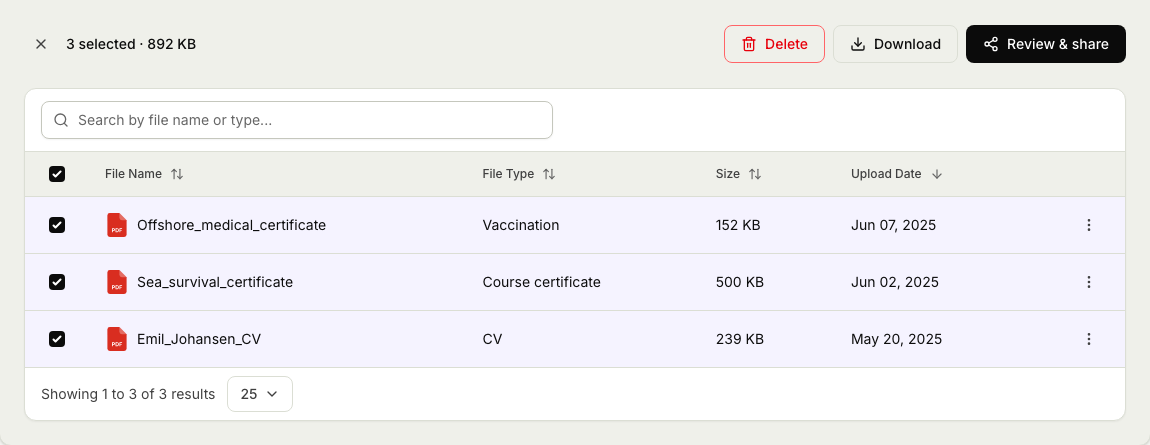
- In the Documents section, tick the box next to each document you want to delete. Your selection is kept when you move between pages.
- Select Delete in the bar above the list.
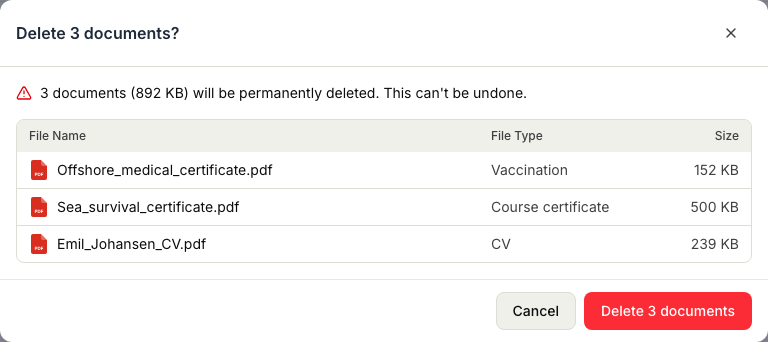
- Check the list in the confirmation. It shows each document's name, type and size, in the same order as the table.
- Select Delete 3 documents. The button shows how many documents will be deleted.
A message tells you how many documents were deleted.
What to expect
- Deleted together or not at all. If one of the selected documents can no longer be deleted, for example because someone else deleted it in the meantime, nothing is deleted. Refresh the page and try again.
- Attached files are kept. If your selection includes files attached to a competency or an issued document, those files stay. The confirmation tells you how many are kept. If every selected file is attached, Delete is greyed out.
- The rest of the record is not affected. Deleting a document does not change competencies, issued documents or any other details about the person.
Related articles
Was this article helpful?