Run a competence gap analysis
The competence gap analysis compares the competencies people are expected to hold, based on their position, against the competencies they actually hold. This lets you see the gaps at a glance: who is missing what, and where training is needed. This guide shows you how to open the report and read the gaps.
Before you start
- You need the View personnel permission to open and read the report. The analysis is read-only, so nothing you do here changes a person's record.
- Each person's expected competencies come from their position, so the gaps are only as accurate as the positions people are assigned to.
Steps
- In People, open Insights, then Competence gaps.
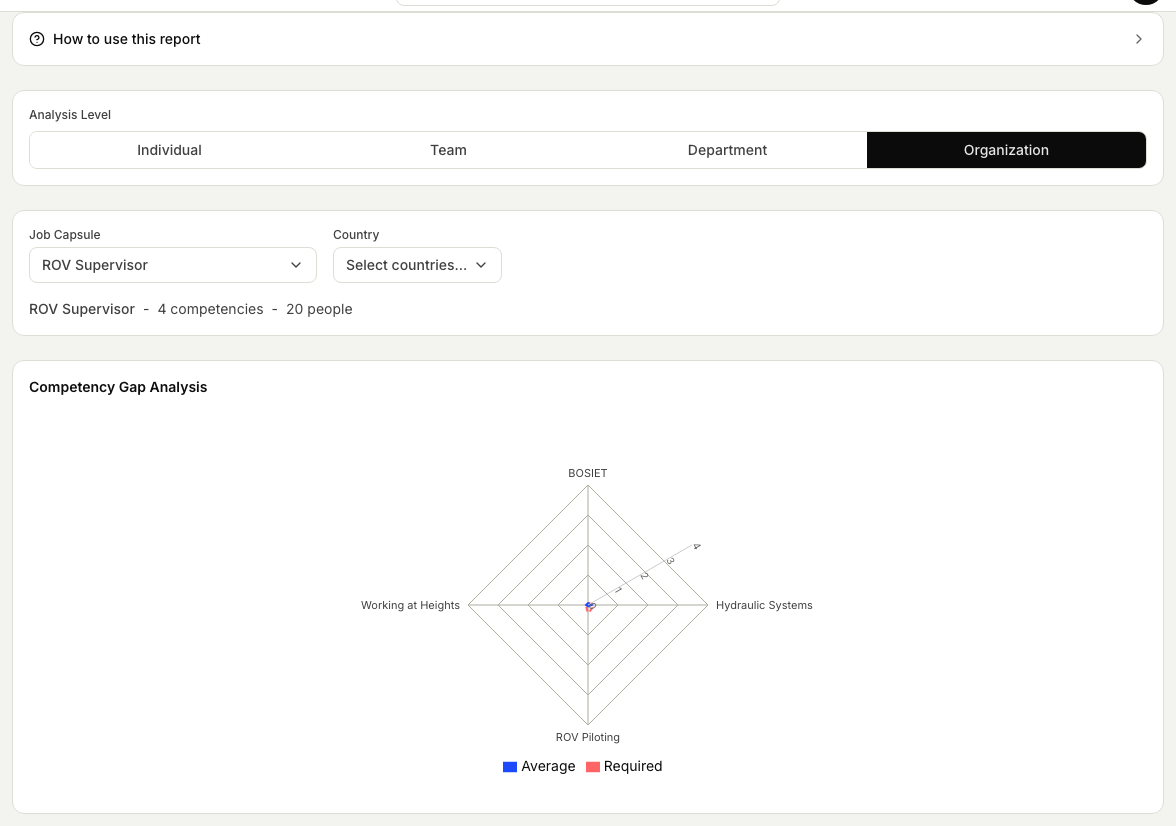
- Choose a Job Capsule to analyse against. The report needs this before it can show anything, because the job capsule defines the competencies and levels people are expected to hold.
- Pick an analysis level: Individual, Team, Department, or Organization. For Individual, select the people to include; for Department, choose a department. Team and Organization cover everyone assigned to the job capsule.
- Narrow the group with the optional Country and Department filters so you focus on the crew you are reviewing.
- Read the radar chart. It plots each competency around a central point and overlays the required levels from the job capsule against what people actually hold, so a gap stands out wherever the held level falls short of the required one.
- Use the gaps to plan training, prioritising the people and areas with the most shortfall.
Related articles
Was this article helpful?