Update a person's trip status
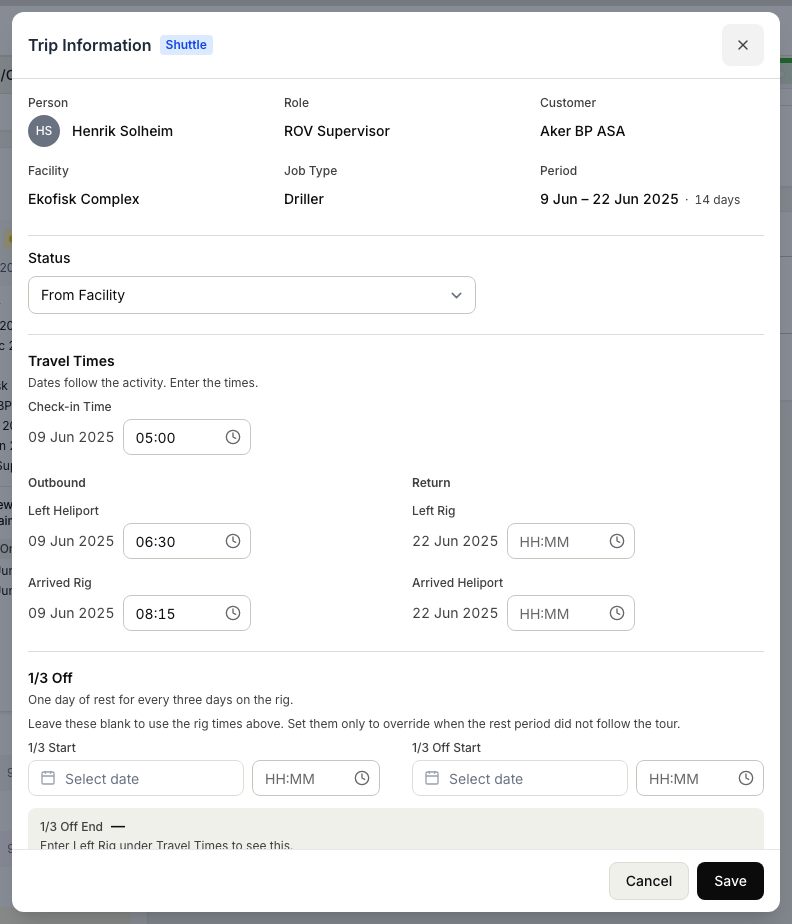
A trip's status tells you where a person is in that trip, from getting ready to go, to being on board, to having come back. As people mobilise and travel, you move their status forward to keep the record matching reality. If you move it by mistake, you can correct it backward with a reason. You need the Plan rotations permission.
Move a trip status forward
- In Planner, open the trip for the person you want to update.
- Move the status forward one step to match where the person now is, for example from mobilising, to on board, to demobilised.
- Save the change. The person's status updates everywhere the trip is shown, including the operations overview.
Correct a status backward
If you moved a status forward too soon or picked the wrong one, you can step it back:
- Open the same trip.
- Move the status back to the correct stage.
- Note why you are moving it back when you are asked. This keeps the record honest so anyone reading it later understands the change.
- Save.
What this changes
Trip status is about tracking where each person is in their trip. It does not book travel or handle the logistics of getting them there and back. For arranging the trip itself, see Manage trips. To see everyone's current stage at a glance, see Check who is on board today.
Related articles
Was this article helpful?