Configure variable cost payroll
Behind every variable cost month is a set of rules that decide how variable pay is worked out. This article covers where you set those rules up so the monthly figures come out right.
Before you start
- You need the Configure payroll costs permission.
- This is the deep configuration that decides how variable pay is calculated. Most organisations set it up once and rarely change it, so you will not need this often.
- Changes here affect how future variable cost months calculate. Take care, and recalculate a month afterwards to see the effect.
What you can set up
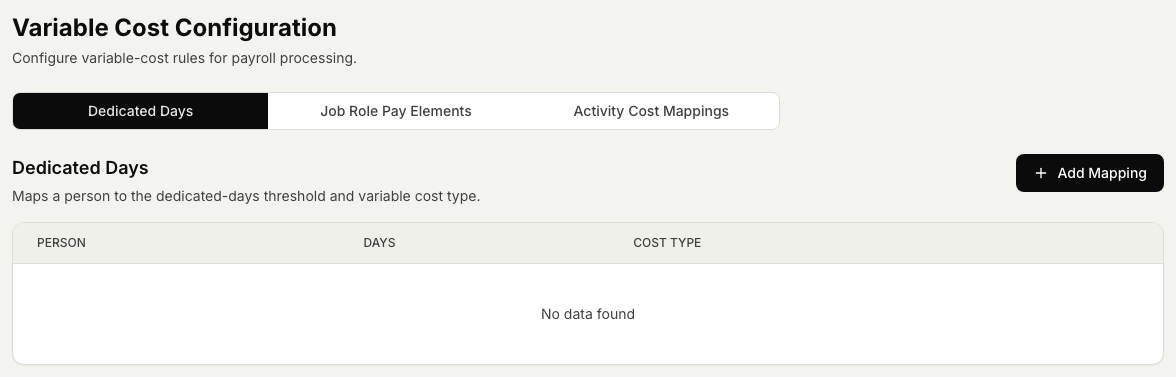
- Dedicated-days rules. Rules for days that are paid a set way, so those days are treated correctly when a month is calculated.
- Pay elements per job role. The extra pay items that apply to each job role, so the right allowances and bonuses are picked up for the people in that role.
- Activity mappings. The links that connect an activity to a cost, so that when someone registers that activity it feeds the right amount into payroll.
Steps
- Open the Timekeeper module, then Payroll, then Variable Cost Configuration.
- Set up your dedicated-days rules for the days that need special handling.
- Set the pay elements that apply to each job role.
- Map each activity to the cost it should feed into payroll.
- Save your changes.
- Open a variable cost month and recalculate it to confirm the figures come out as you expect. See Manage a variable cost month for where these rules are applied.
Related articles
Was this article helpful?