Check your Timekeeper setup
Work through this checklist to confirm Timekeeper is ready before people fill their first timesheet.
Before you start
- You need the Manage Timekeeper settings permission.
- Timekeeper is a licensed add-on. If you do not see the Timekeeper settings, your organisation may not have it enabled.
Steps
- Open the Timekeeper module, then Settings.
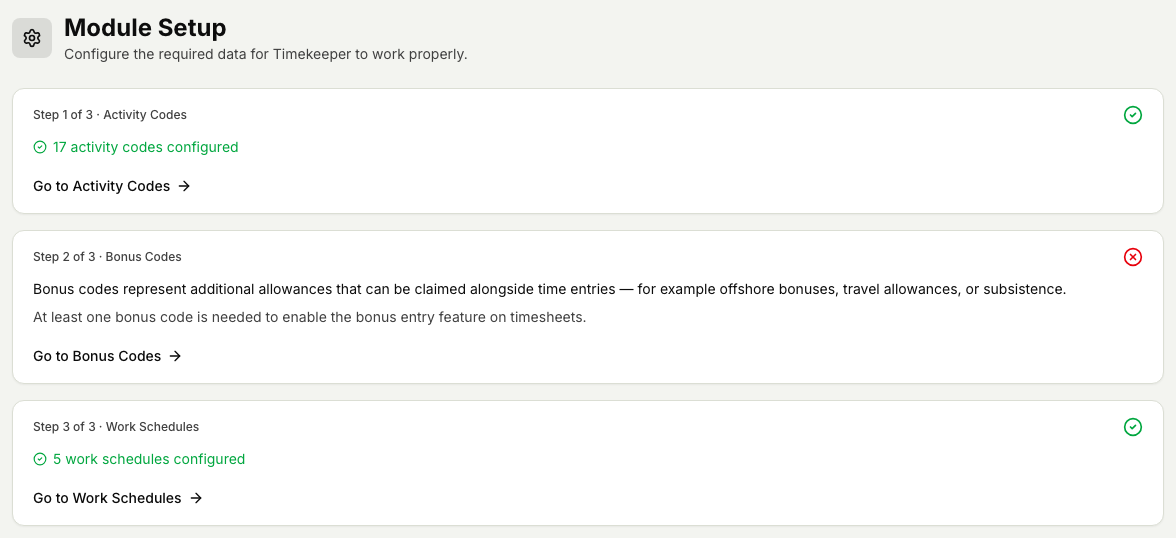
- Check your activity codes. These are the work types a person picks from when they add hours. Make sure the list covers the kinds of work your people do. See Manage activity codes.
- Check your bonus codes. These are the allowances and bonuses that are worked out automatically, for example offshore, night, or overtime. Confirm the ones you pay are present. See Manage bonus codes.
- Check your work schedules. A work schedule is the standard set of daily working hours (a start time, an end time, and hours per day) that a timesheet uses as the normal workday. These fill in onshore timesheets and drive the Recalculate action, so put them in place first. Offshore timesheets are pre-filled from a person's planned rotation instead, not from a work schedule. See Manage work schedules.
- Once all three are in place, your people can start filling timesheets.
Related articles
Was this article helpful?