View my competencies
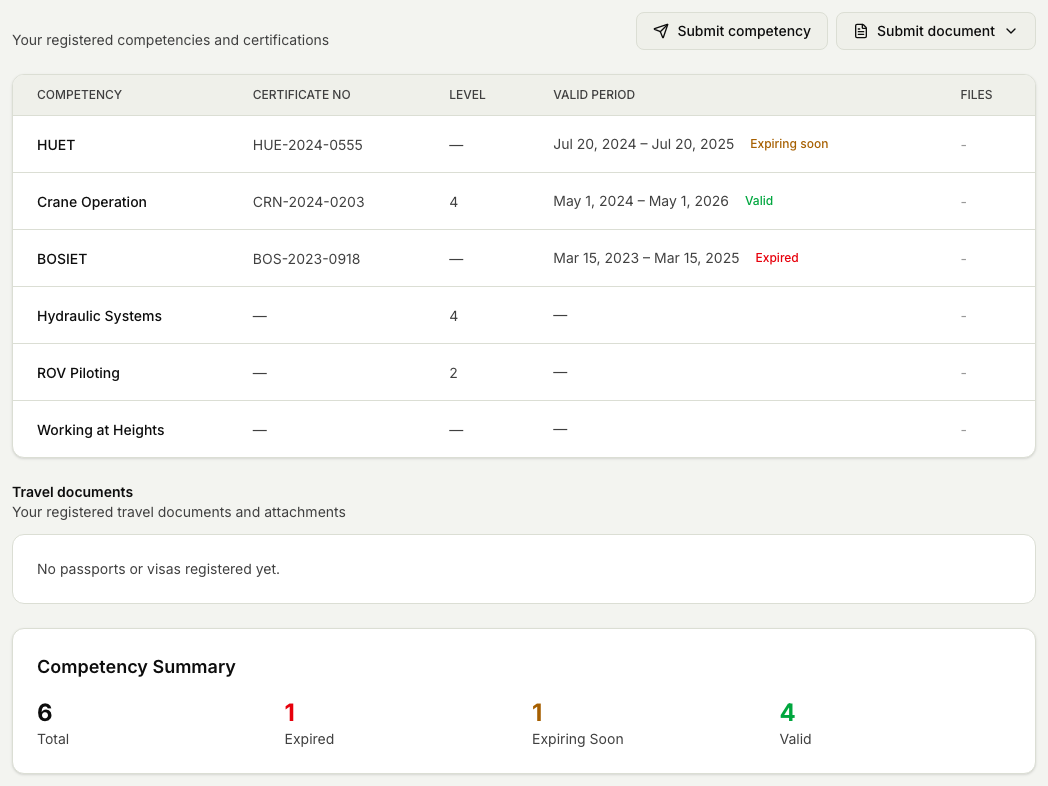
Check which competencies and certificates you hold and when they expire.
Steps
- Sign in to Markular. Your workspace opens first.
- Open Qualifications & documents in the Workspace menu.
- Read the list to see which competencies and certificates are valid.
- Note any certificate with an expiry date coming up, so you can renew it in time.
Related articles
Was this article helpful?